
Checkout is one of the most sensitive stages in any WordPress online store. It is at the checkout where users most often get lost, distracted, or simply leave if the form seems too long, inconvenient, or requires manual entry of a large amount of data.
For such tasks, the DaData checkout autofill plugin for WooCommerce is a great fit. This solution helps speed up address input, reduce errors in details, and make the checkout process noticeably more convenient for both regular customers and companies.
If you are just getting acquainted with our solutions, you can check out other materials on the main page of the plugin store and in the Lifehacks section.
What the plugin does
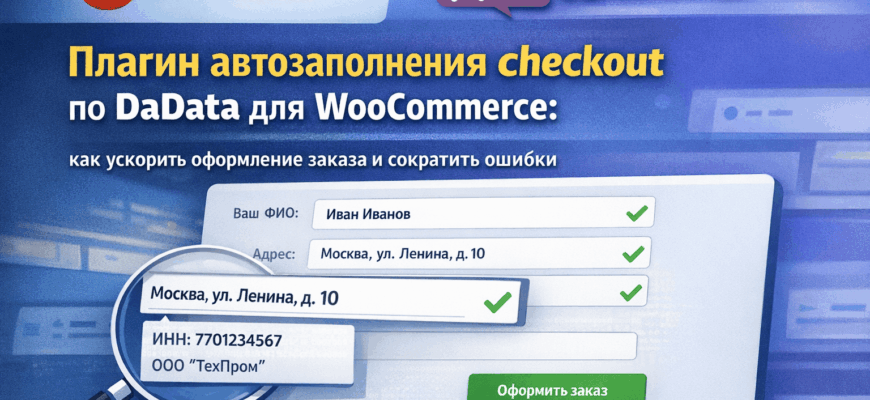
The plugin adds smart suggestions and autofill fields on the WooCommerce checkout page. In conjunction with the DaData service, it can suggest and standardize addresses, as well as automatically pull company data by TIN, KPP, and OGRN.
In practice, this means that the buyer does not need to manually enter the entire address piece by piece, and the store manager does not have to later clarify the postal code, city, street, or company details. This is especially useful for projects where both individuals and B2B clients place orders.
Why this is important for a WooCommerce store
The checkout page directly affects conversion. The less friction in the order form, the higher the chance the user will complete the purchase. If some fields can be filled automatically, the checkout becomes faster, clearer, and more modern.
WooCommerce itself offers good customization options for checkout, and there is official documentation for developers on extending checkout and adding extra fields. Therefore, such a plugin is not a “hack” but a proper working extension for real business tasks.
- less manual input;
- fewer errors in addresses;
- faster checkout;
- more convenient handling of legal entities;
- cleaner data in orders and documents.
For which stores this is especially useful
This plugin performs especially well in online stores where:
- delivery is available by cities and regions;
- address and postal code accuracy is important;
- orders are placed not only by individuals but also by companies;
- managers manually verify company details;
- there is a need to speed up checkout without overloading the form.
If the store handles B2B orders, autofilling company details by TIN significantly simplifies checkout. If the project is retail-oriented, address suggestions and reducing manual input at checkout are especially useful.
What the business gains
The most obvious benefit is saving the customer’s time and reducing the number of errors. But in practice, the effect is broader. The store receives cleaner data in orders, managers spend less time on clarifications, and the checkout itself looks more professional.
Additionally, structured data is convenient to use further: for invoices, delivery, CRM, waybills, and other integrations. This is especially important if the online store is growing and processes become more complex.
Where to see this plugin
A detailed description of the solution is already available on the WPDevStudio website: address and company details autofill for WooCommerce. It also explains how the plugin helps speed up checkout, reduce address errors, and simplify order processing for B2C and B2B.
If you need not only a ready-made plugin but also checkout customization for your project, you can also check the WPDevStudio studio page and, if necessary, contact via the feedback form.
Conclusion
The DaData checkout autofill plugin for WooCommerce is a practical solution for stores that want to make checkout faster, more convenient, and cleaner. It is useful not only from a UX perspective but also for internal business processes: from order quality to manager workflow and document preparation.
If you are developing a store on WordPress and WooCommerce and want to sell without unnecessary friction at checkout, such solutions usually pay off very quickly.
Also read: other articles and reviews in the plugin store blog.